Devora
A fast, sleek, bold food ordering experience.
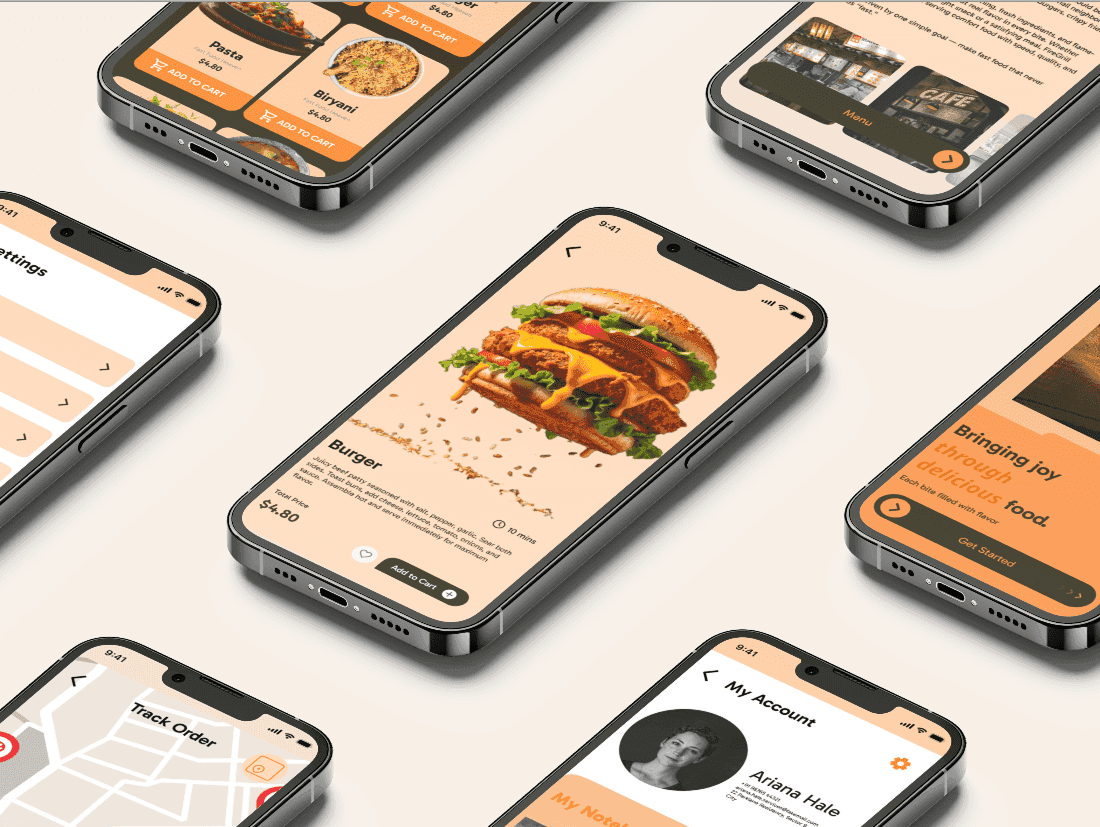
Devora- A fast, sleek, bold food ordering experience
Devora is an online food delivery app designed to make ordering meals faster, simpler, and more enjoyable. The product focuses on speed, minimal touch interactions, and a clean interface built around its signature orange theme, representing energy, urgency, and appetite.
How might I design a minimal and intuitive food delivery app that simplifies ordering while keeping users engaged?
About the Project
Competitor Analysis
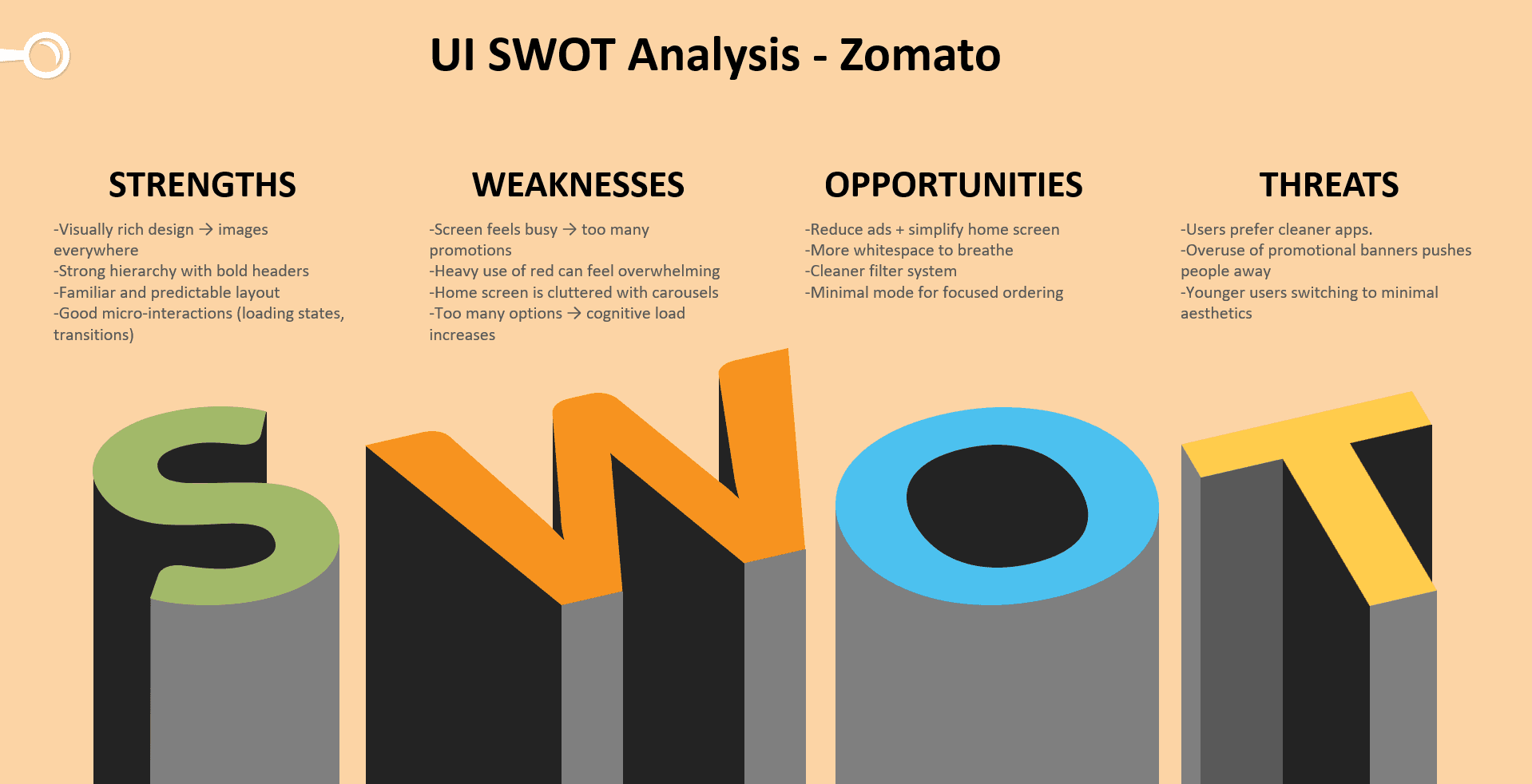

Zomato
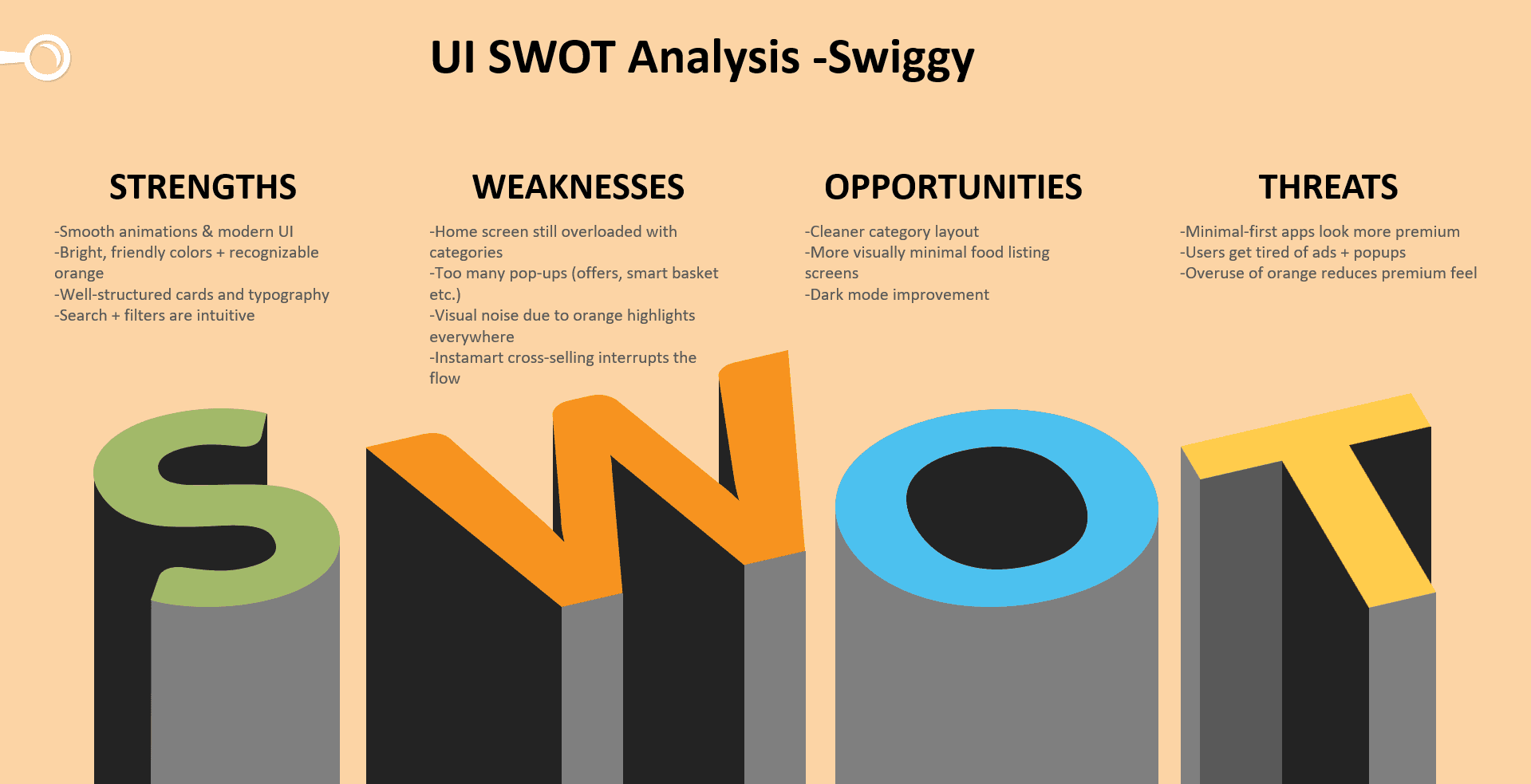
Swiggy
Uber Eats
Overview of the Final UI
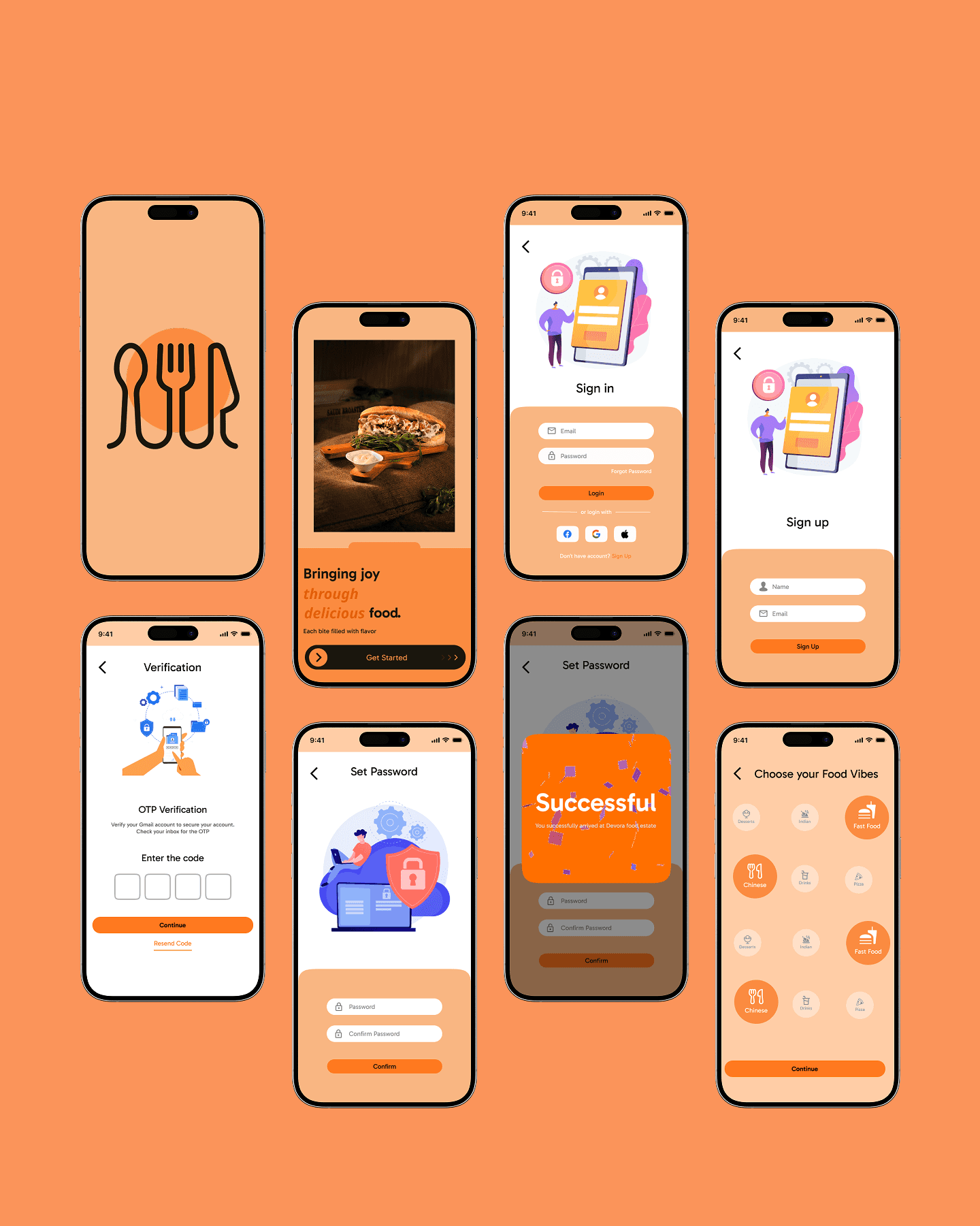
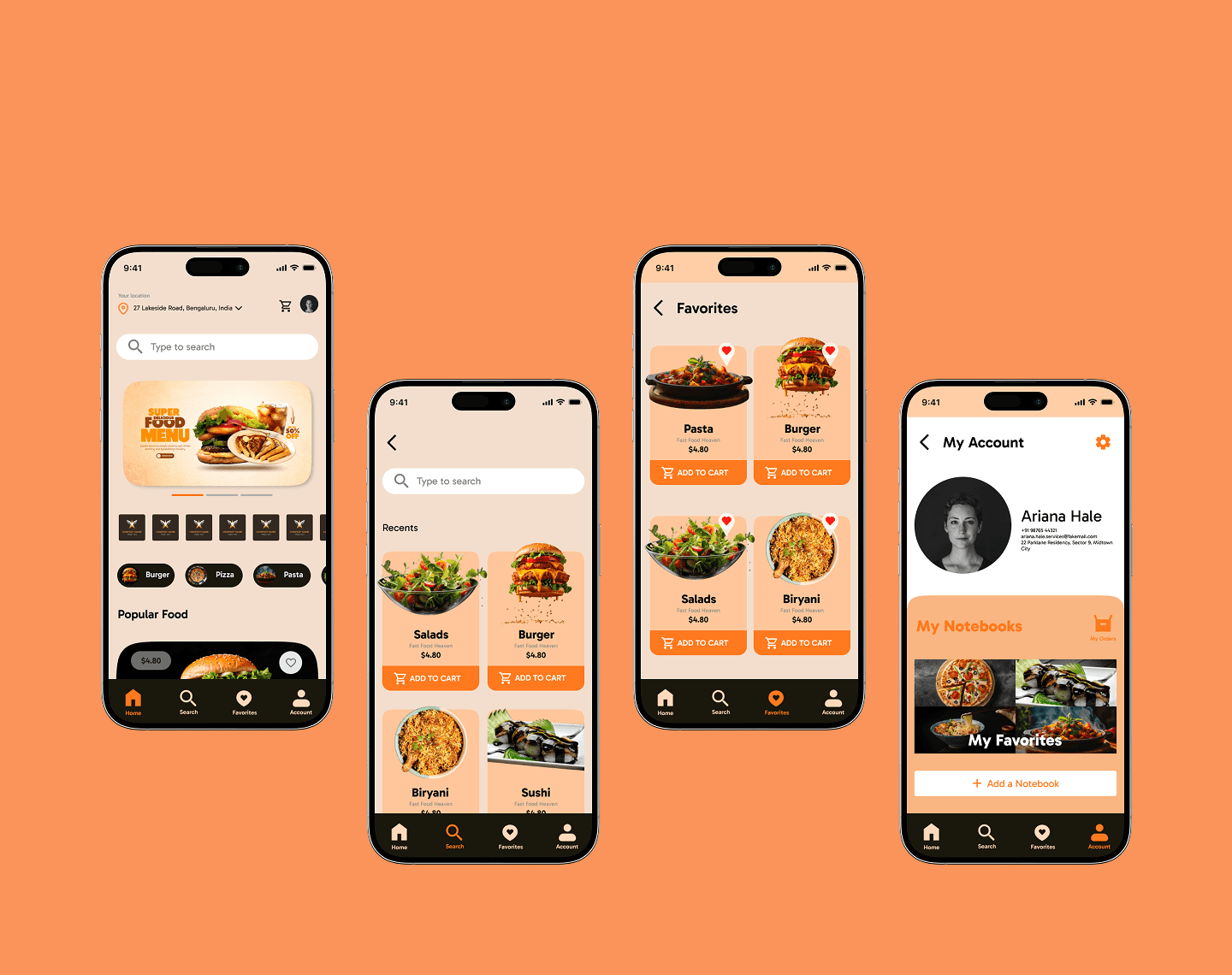
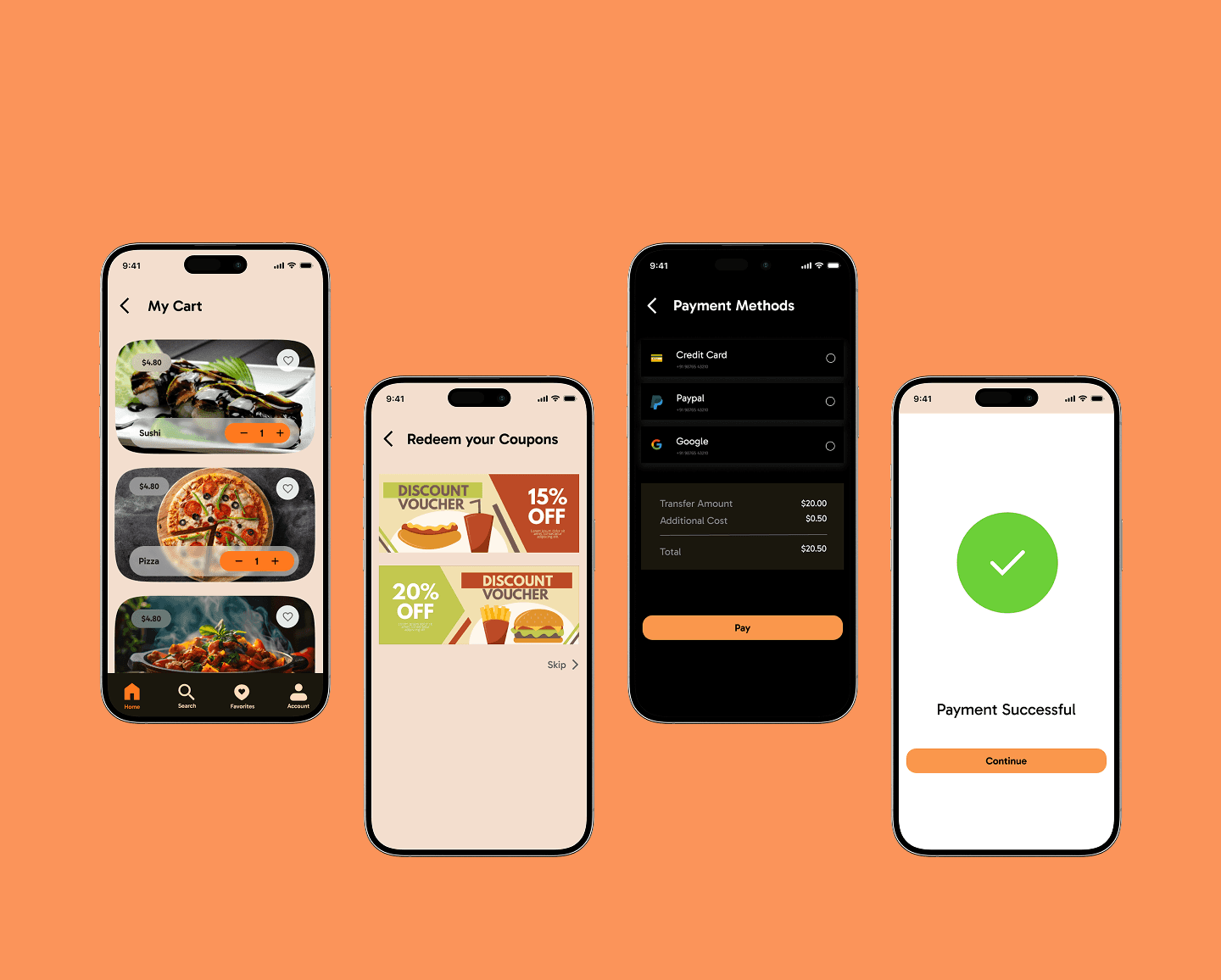
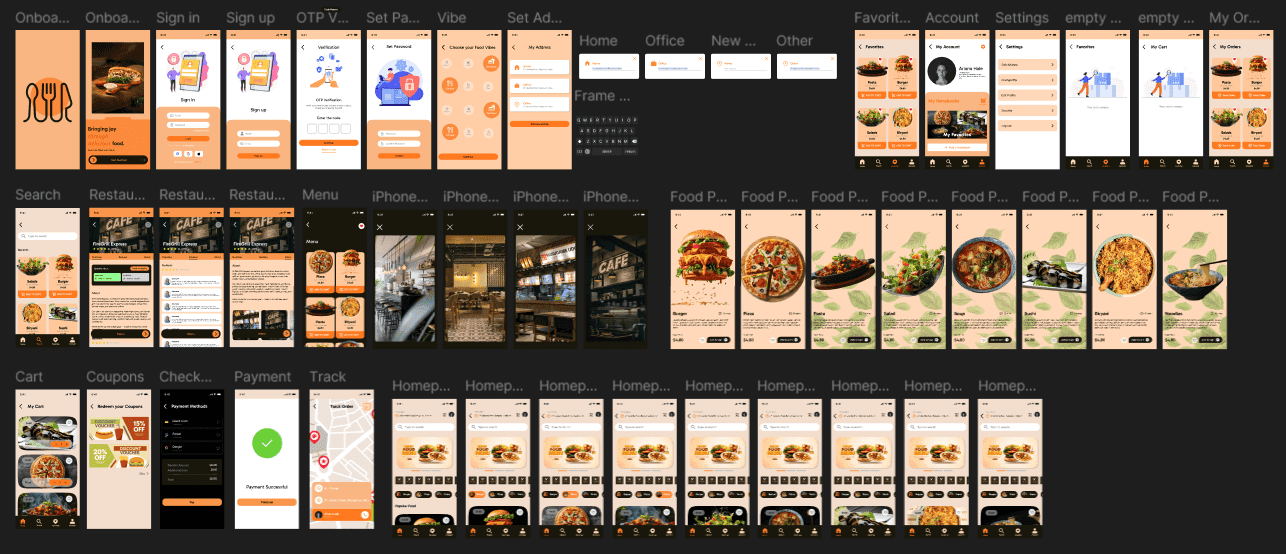
The final UI of the app is divided into 5 categories - 1st we have Onboarding Pages. The Onboarding pages contains Intro page which shows the Logo of Devora app. The next screen is intro cum onboarding page where we introduce the app and welcome users and guide them to Sign up or Log in. We have a Vibe Page where the user can pick their food preferences. Secondly we have Main pages - Home page , Search Page , Favorites and Profile. Then we have checkout flow from the Cart to Coupons to Payment Method and the full payment. I have also designed the Secondary frames and Extra Frames which can be seen below.

Overview of the whole App
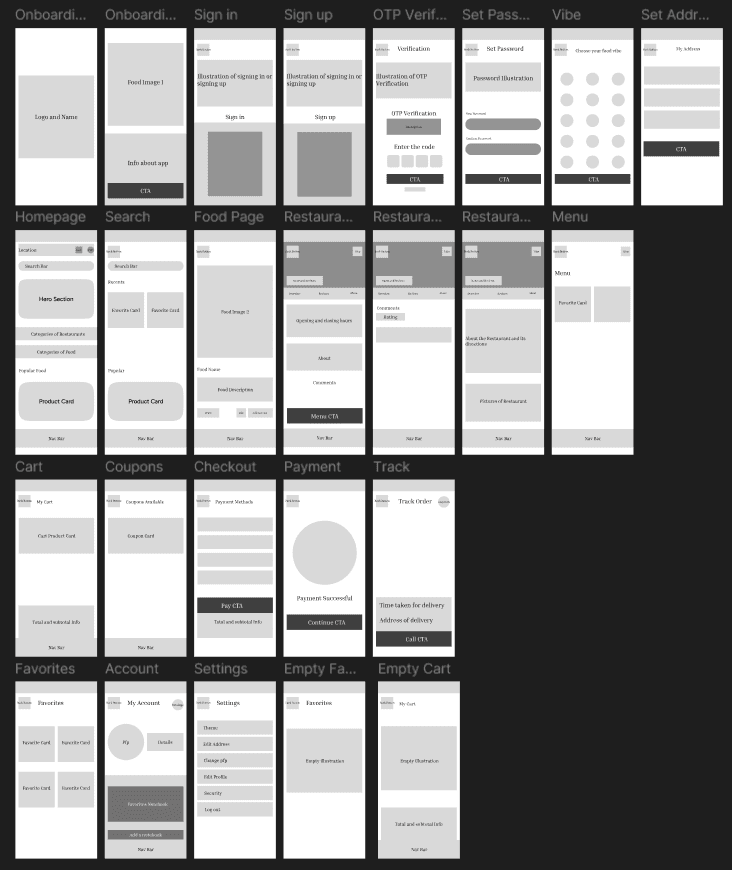
The summary of each page in the above overview is below :
1st we have the Onboarding section - The section describes how a user will log into our app and enjoy personalization.
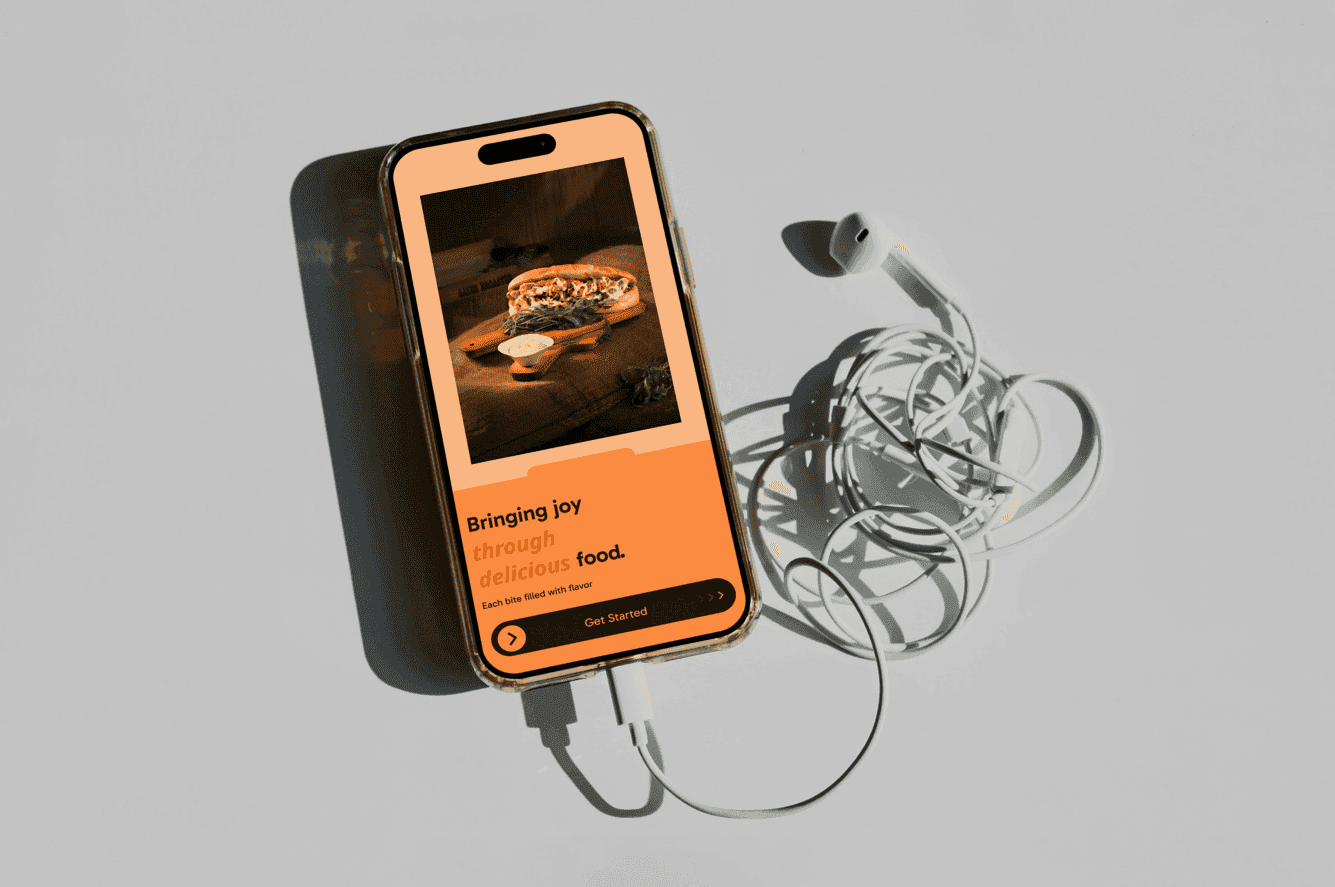
The 1st page is Intro Page which only comprises of a Logo. The 2nd page of onboarding is to give a little intro about the app and make it as welcoming as possible. It automatically guides us what we have to do next . We drag and go to Sign In page. The Sign In page is also minimal and also guides us what do we have to do. If we have Id we can sign in easily if not, we can go to sign up page.
The Sign Up page is also minimal. When we sign up using our email and name it takes us to verify the email by sending the OTP. I also have many micro-interactions to give it a real app vibe like Resending code pop up . After Continuing, we are taken to set the Password for our app, after we set the password an overlay is shown, showing that you have entered the Devora food estate giving the users a welcoming feeling. Then we have a vibe check page. It lets us choose what kind of food we like and it automatically customizes the for you page like that.
From here we shall see our Main pages
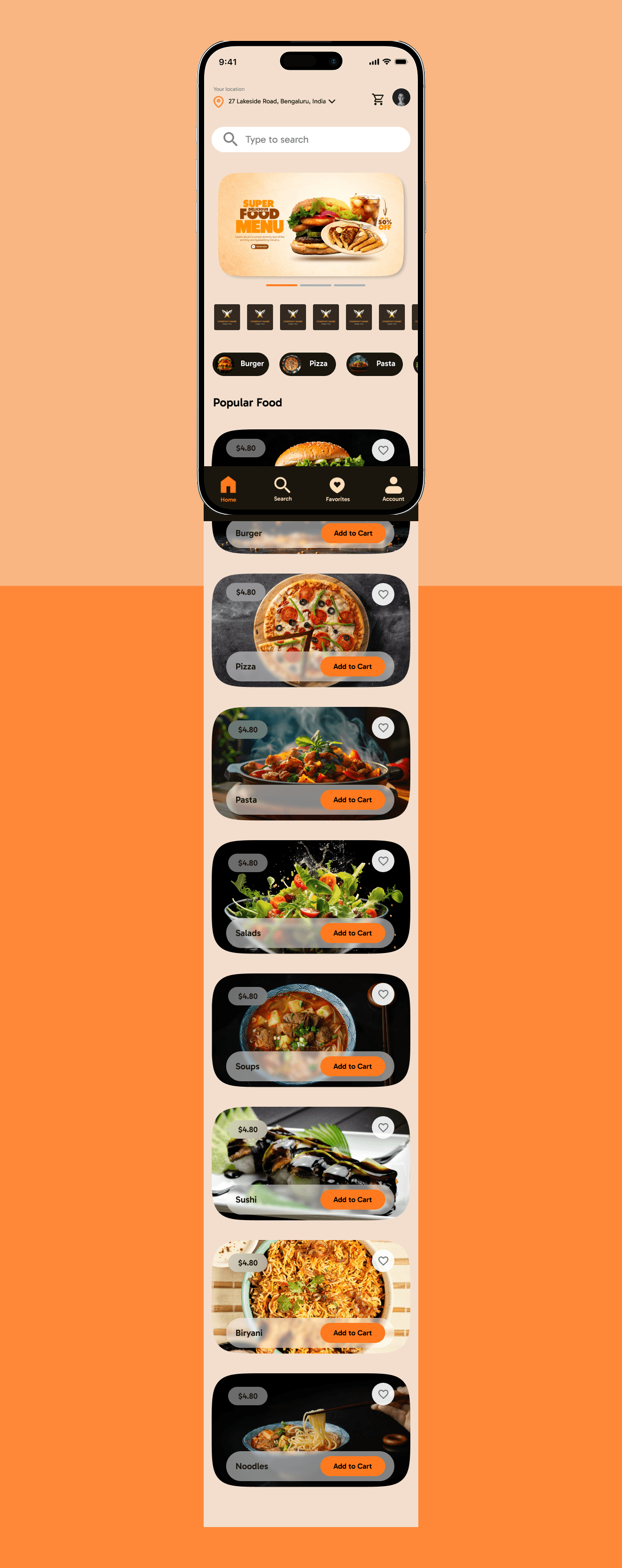
The Homepage is really clean and easy to use. On top we have location. By clicking it, we are taken to a Address page where we can add or change our addresses, It is a Secondary screen, so it can still be improved soo much..
Then we have our Cart and Profile . The Cart is simple and easy to checkout. We have Search button which takes us to the Search page. We have a clean hero section showing us the Offers available. It can be dragged easily. Next up we have all the nearby restaurants. It is horizontally scrollable to reduce the clutter and same with the food categories.
Then we have our Cart and Profile . The Cart is simple and easy to checkout. We have Search button which takes us to the Search page. We have a clean hero section showing us the Offers available. It can be dragged easily. Next up we have all the nearby restaurants. It is horizontally scrollable to reduce the clutter and same with the food categories. At Bottom we have the popular food. Each Product Card is interactive and minimal but not boring.
We have a bottom Nav Bar where one can easily navigate to important parts of the app.
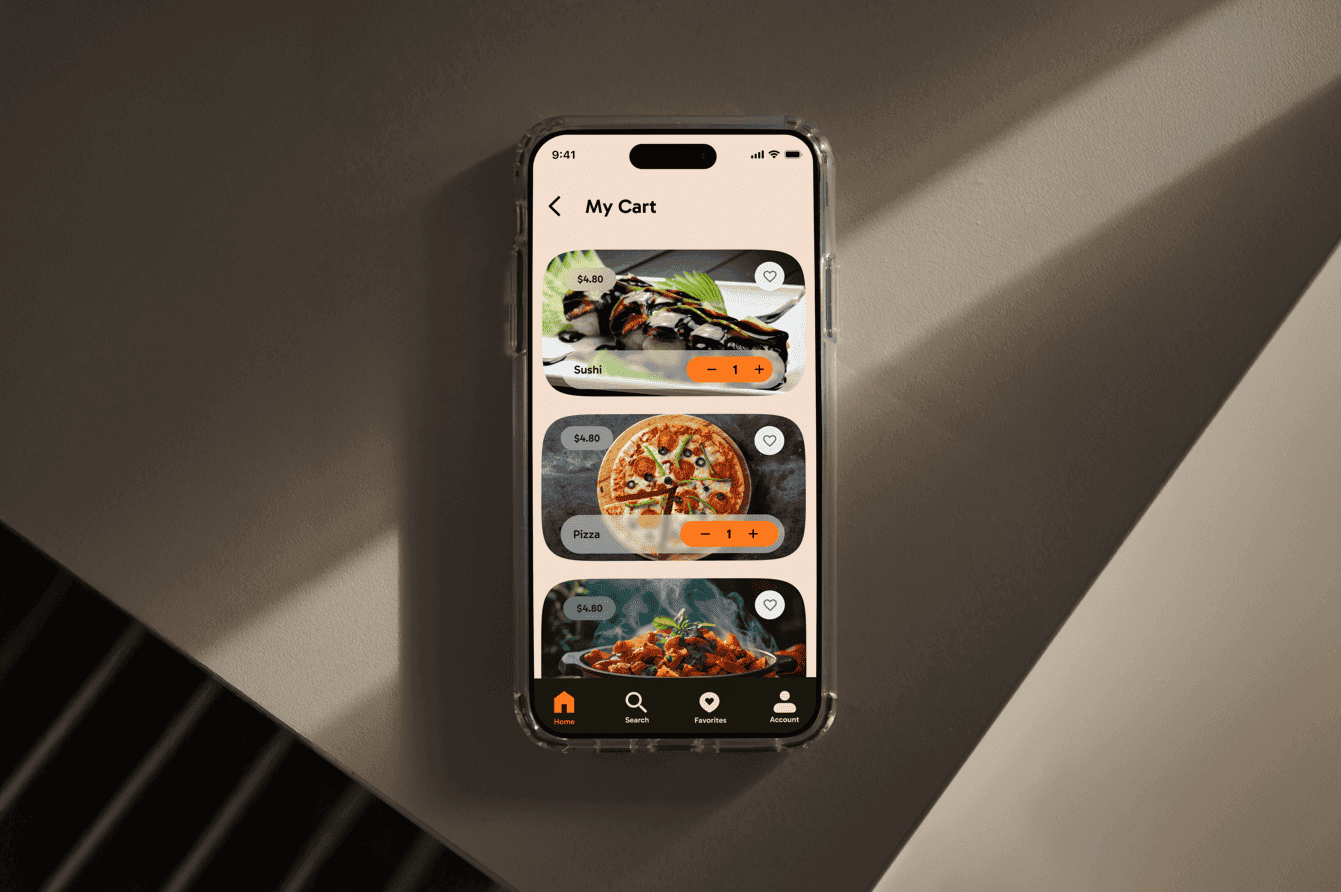
The Cart is also simply made. But it is the most interesting part as from this screen the checkout flow starts. We have a bill receipt which is emailed as it is when the order is paid for. When we click checkout we go to the coupons Page where we can select our available Coupons or skip them.
The Page then takes us to the Payment Methods. We can select a way to pay and then click Pay button. It gives us clean interface confirming our order and after clicking continue button we are again taken to Homepage to continue scrolling and adding to cart.
After that we are in Search Page. The Search Page is also basic, clean and minimal. After clicking the Search bar we have our keypad open, clicking outside, it is closed. It shows our recent search and what we selected from that Search. Then it shows the Popular Searches.
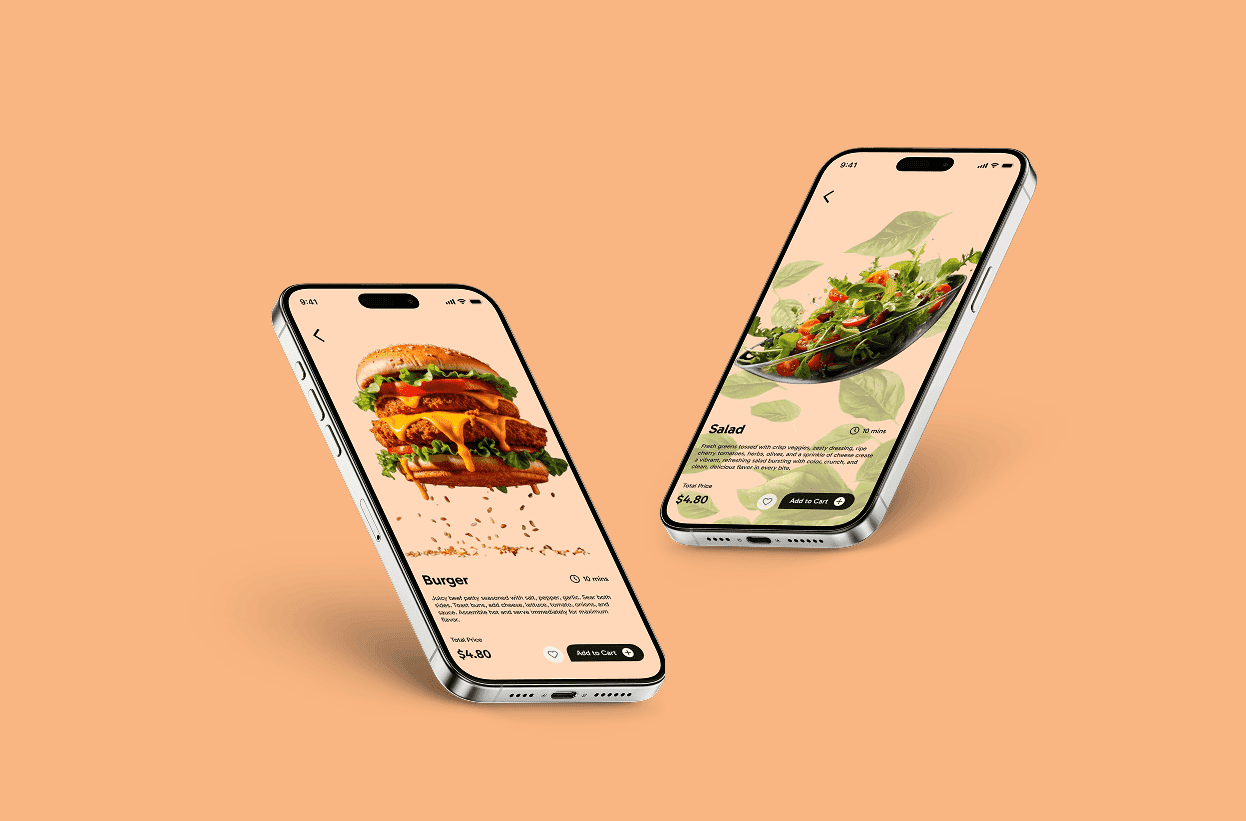
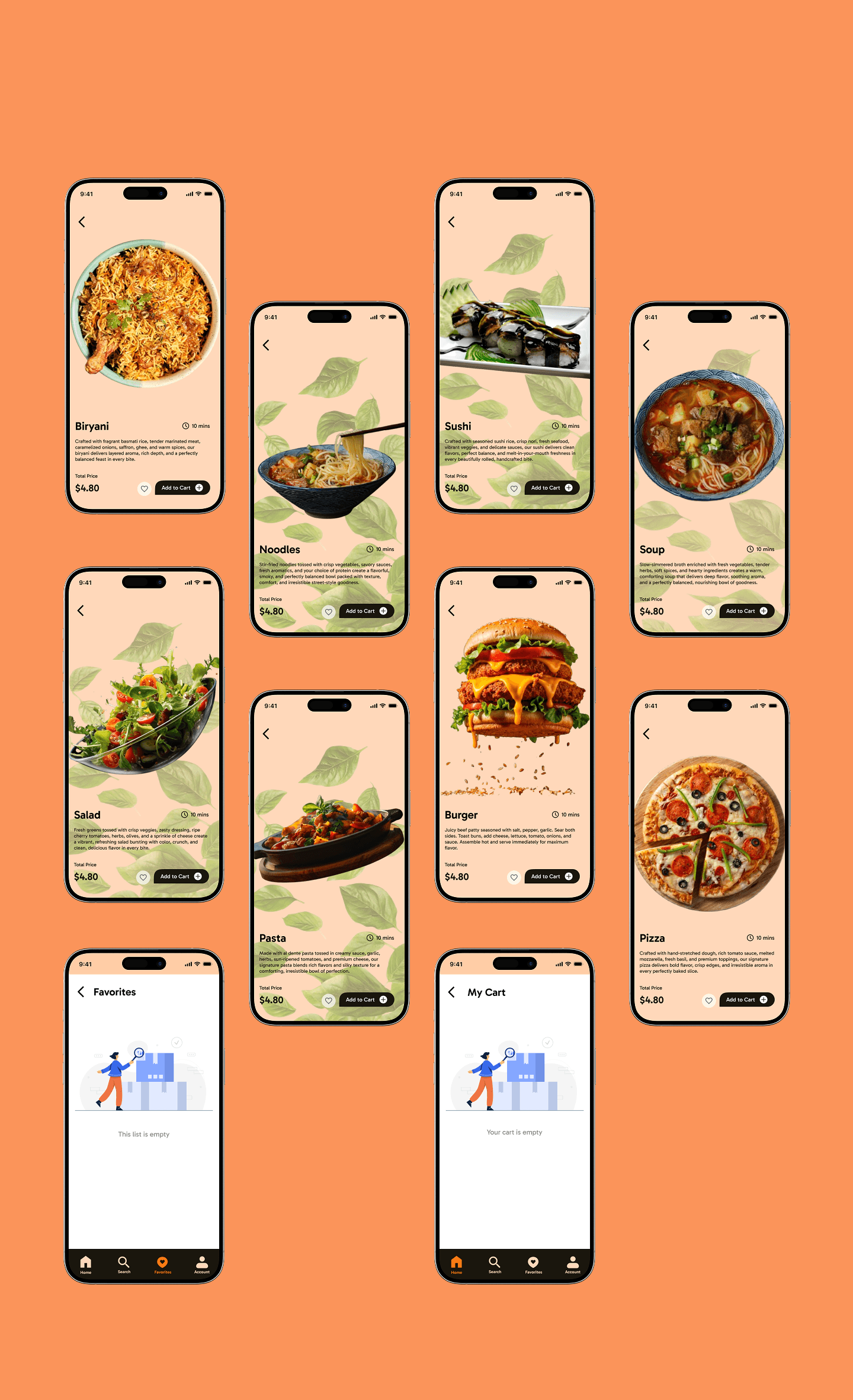
Then we have our Favorites Page. This page is also minimal, just showing our liked food. The food pages are also clean It shows the image of the food, it’s name, description, the time it will take to be ready, it’s price, a like button and a add to cart CTA.
Then we have the Profile page. The profile page have Settings button showing various settings. It have the Profile picture of the person, their name, number, email id and address.
It contains the Notebooks, One can easily make many Notebooks in the app for personalization and share them between friends.(Not prototyped, merely a suggestion for coding)
We have the orders, It shows the list of orders we have and it also have the option to Track the order. By clicking on Track order, we are taken to the Track order page where the exact location of the order is shown and one can easily call the delivery person.
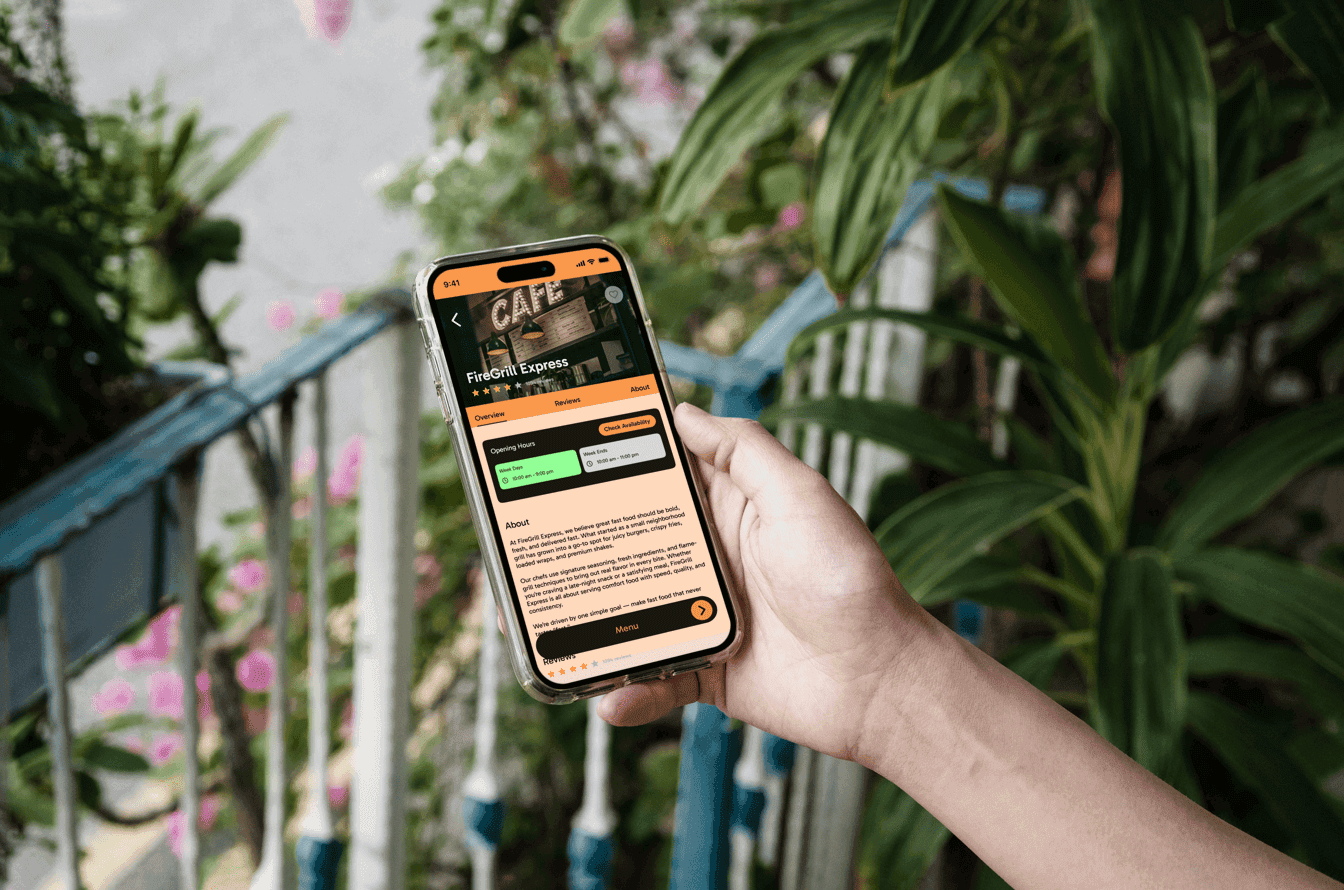
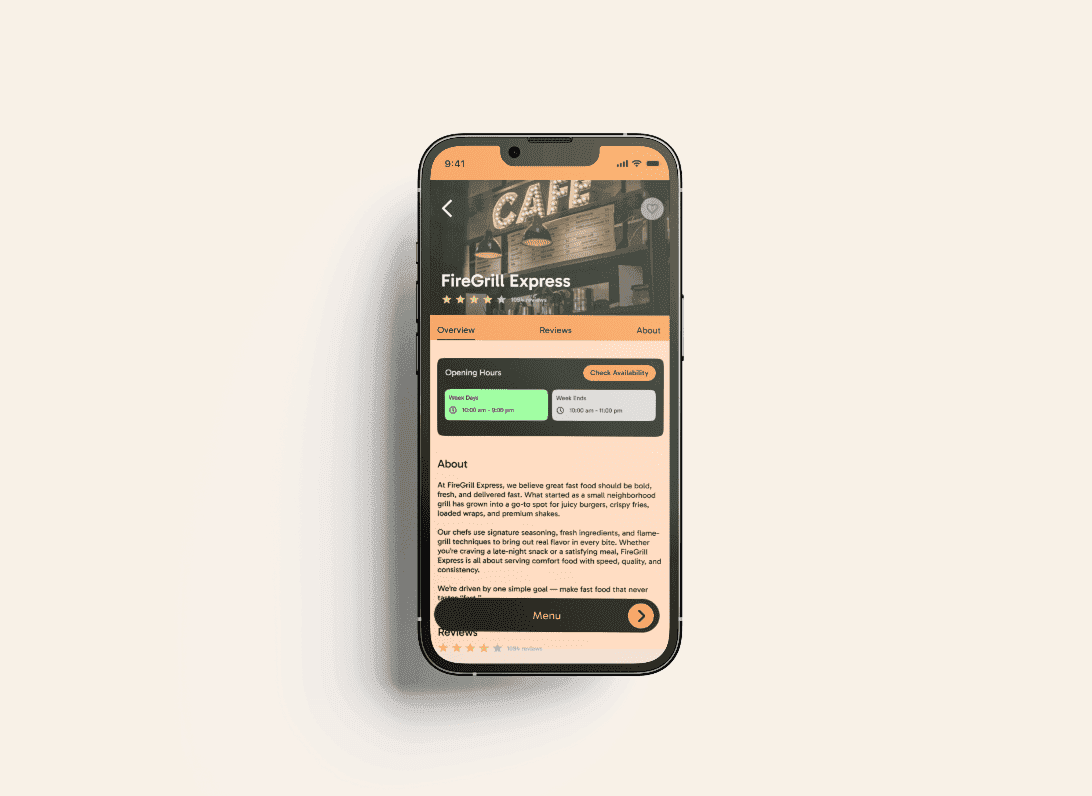
Then again we come to the Homepage , this time for showing Restaurant Pages. If we click on one of them it takes us to the Restaurant Page. Here we can see the Name, Reviews of the person and also like it if we want. We have 3 different categories , 1st is overview, 2nd is review and 3rd is about section. The overview gives us summary of the restaurant. The timing of the restaurant, when it opens and closes, it’s reviews and it’s about.
2nd we have reviews, it show us all the comments and point of view of each person. The restaurants can take suggestions from their customers easily.
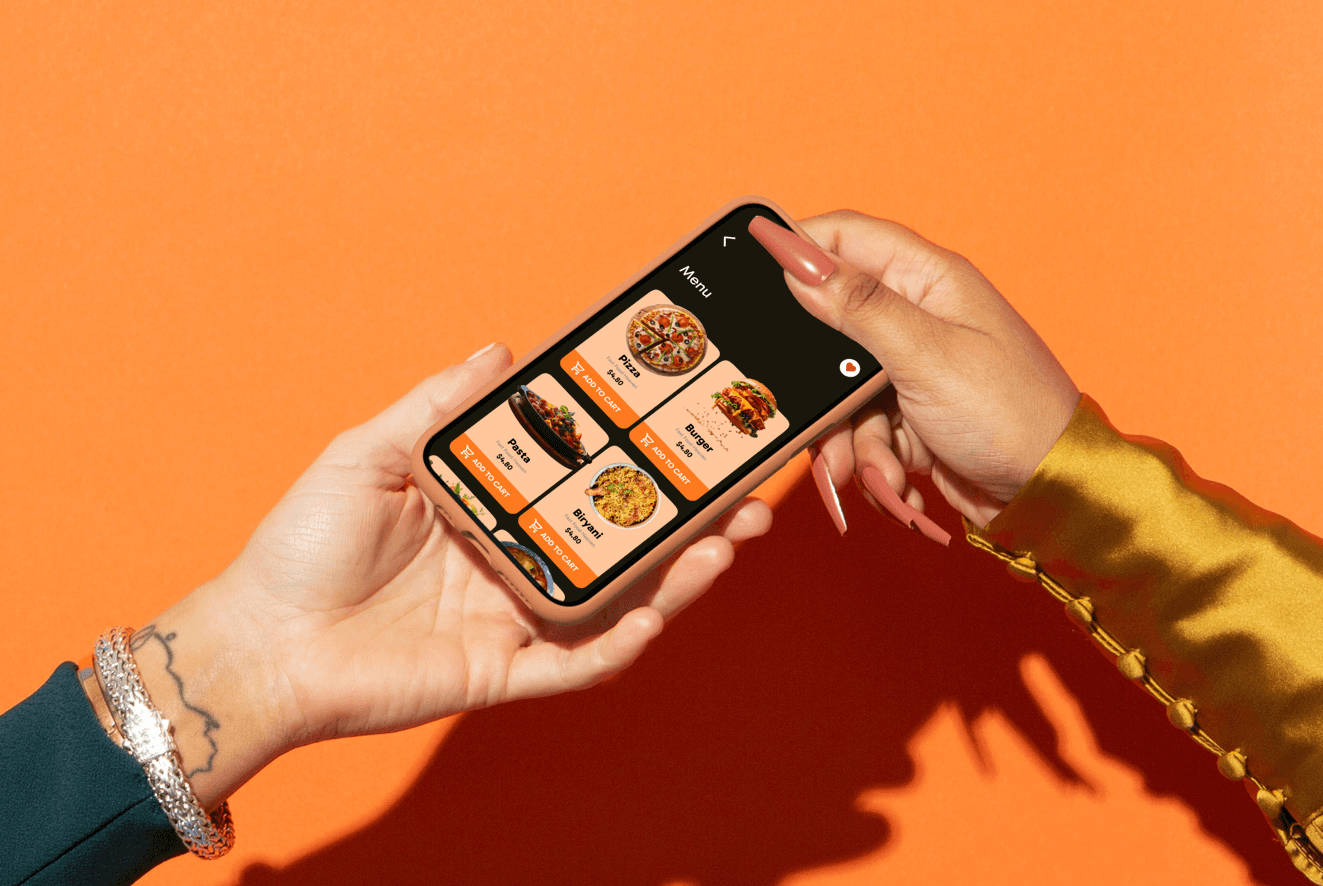
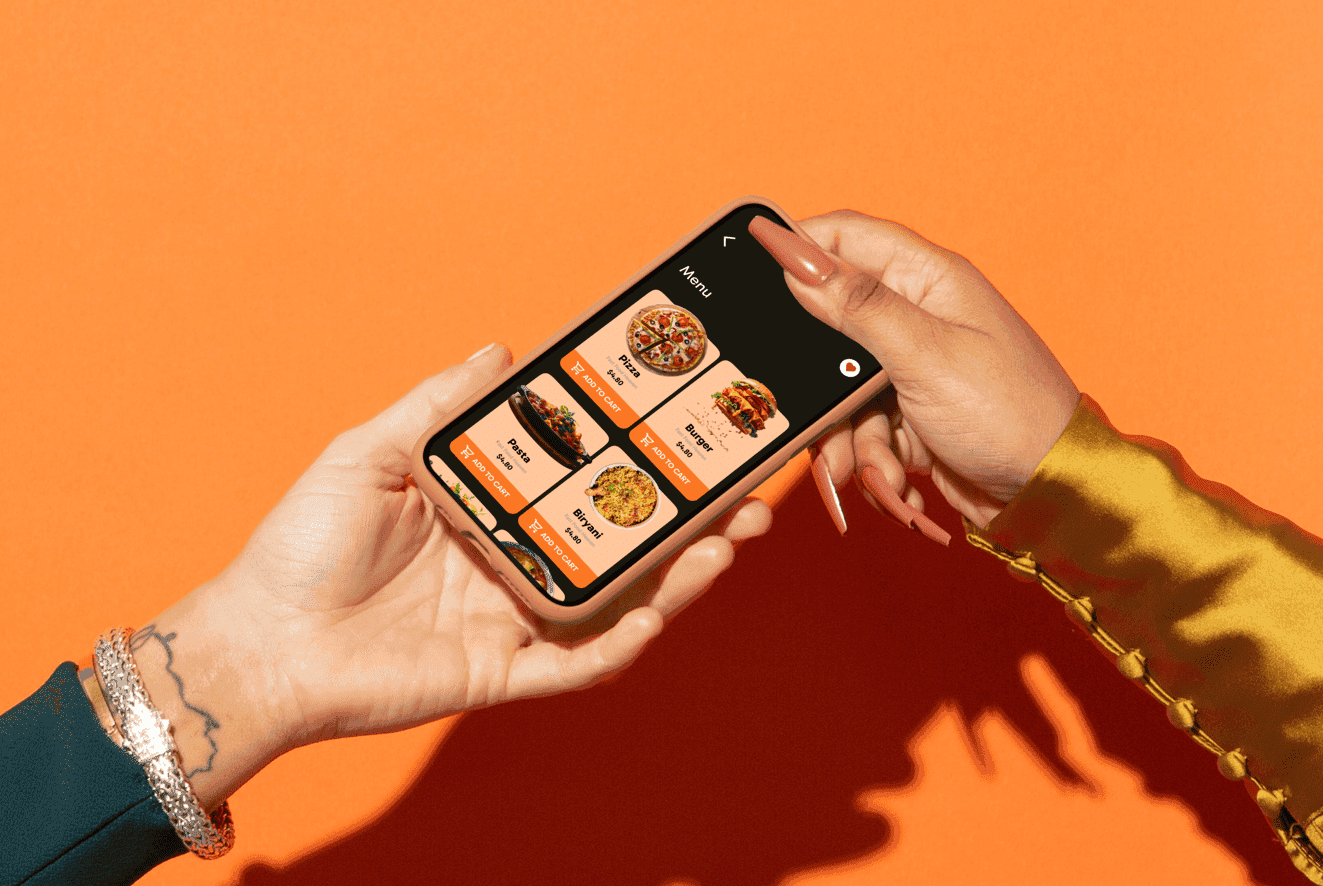
3rdly we have About, It shows the users what the restaurant is about and also their contact information for reservation and stuff. The Pictures of the various parts of the restaurant are shown so people can review it’s aesthetics if they want to visit or make reservation. The button at bottom is the Menu after clicking we are navigated to the menu page. The Menu page is also simple and easy to navigate around.
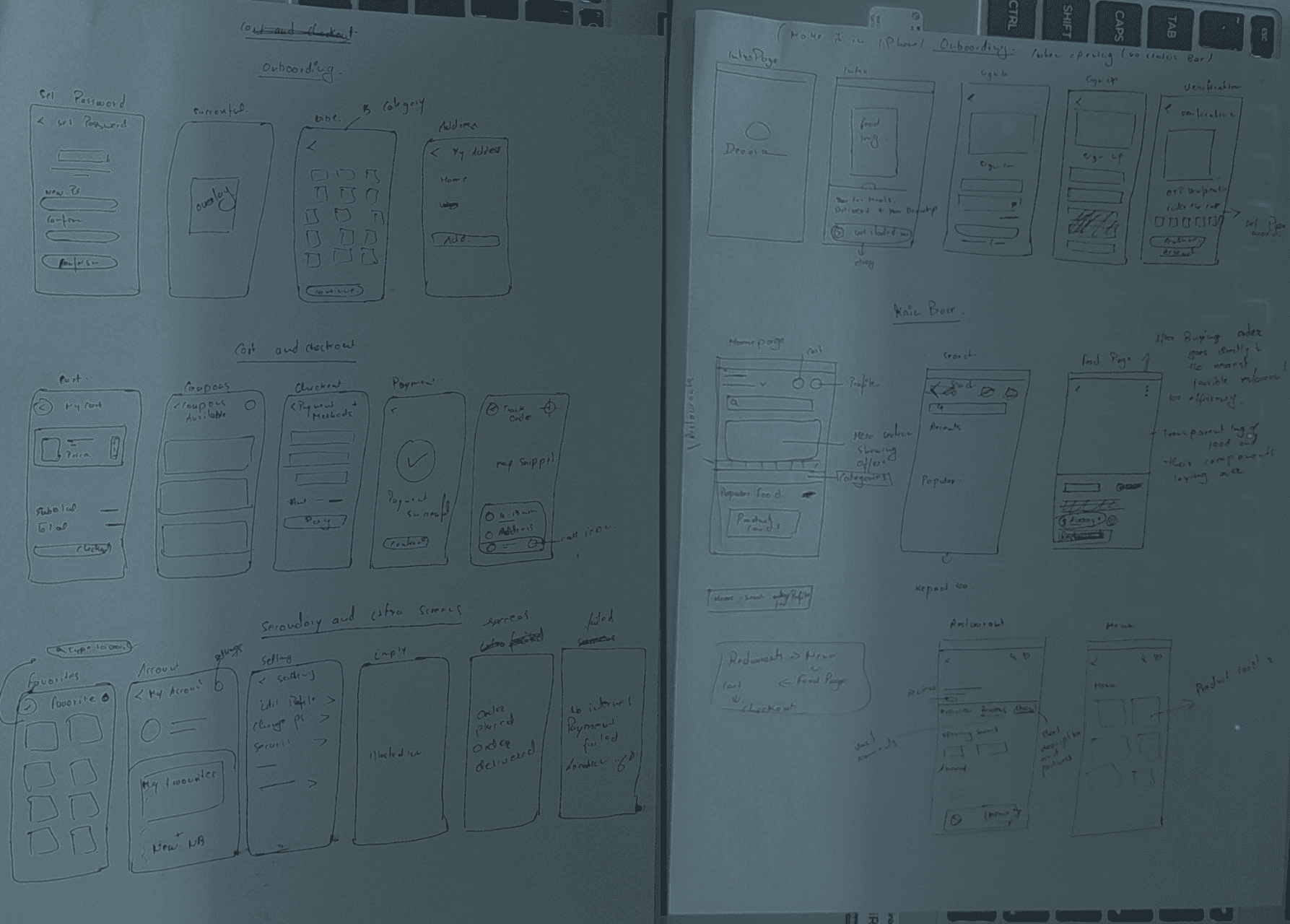
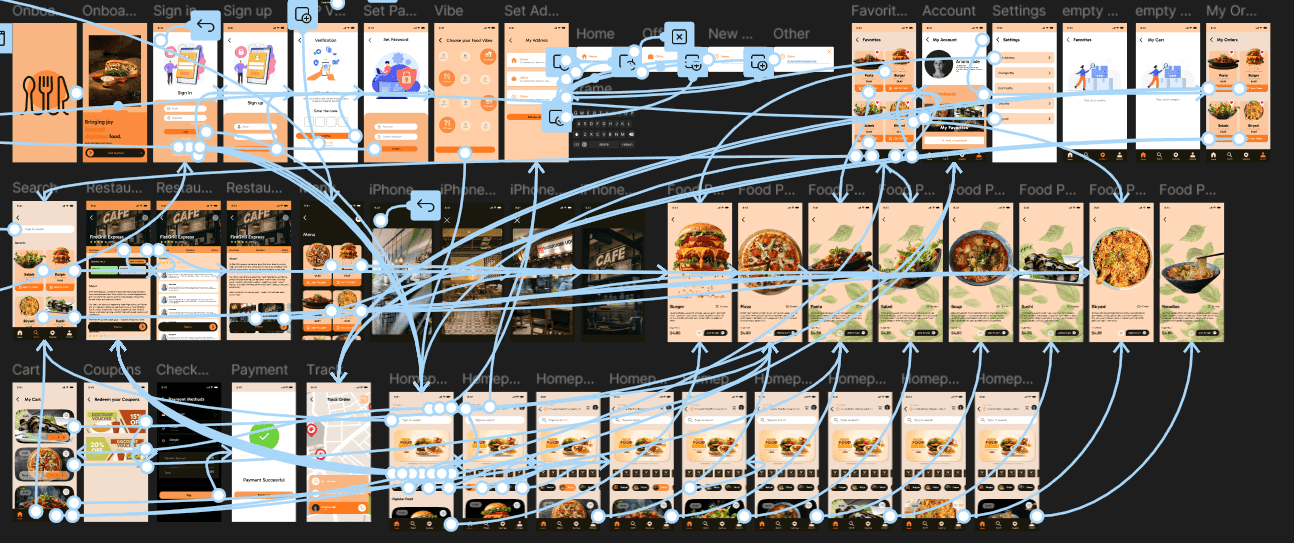
Work Flow
Results
Impact
Devora’s UI directly strengthens both the user experience and the business performance. Its clean layout, clear navigation, and visually minimal design reduce friction, helping users find food faster and complete orders more smoothly. This leads to higher conversions, fewer drop-offs, and stronger trust in the brand. The aesthetic and consistent interface also improves retention, as users naturally return to an app that feels reliable and easy to use. Overall, Devora’s UI creates a premium, efficient experience that increases user satisfaction while boosting the business’s long-term growth and revenue potential.
Reflection
Also i discovered the whole onboading process , how to make app feel more personal and how to encourage the user to make faster decisions by guiding them what to do next by designs.
Devora- A fast, sleek, bold food ordering experience
Devora is inspired by my own needs of having food selected and ordered under just a min or 2 and reduce the decision making on the app . I don’t like spending more time on finding what i want to eat than to actually eat it and I like an app that is easy to eyes, welcoming, speaks directly to me what should i do next and is not visually cluttered. That’s the inspiration of the app DEVORA.
Devora is inspired by the word “devour,” which means to eat with hunger, excitement, and satisfaction. The name takes that energy and softens it into something modern, warm, and memorable. While “devour” is intense and bold, Devora feels more refined—capturing the idea of enjoying food quickly, effortlessly, and with genuine craving. It represents an app that helps people get the food they want fast, with the same eagerness and satisfaction as devouring a great meal.